 ultimate-guide
How to Navigate Building Permits: A Step-by-Step Guide
Table of Contents
- Understanding When Building Permits Are Required
- Searching for Existing Permits by Address
- Accessing the Broward County ePermits OneStop Portal
- Step-by-Step Building Permit Application Process
- How Long Does a Building Permit Take to Get Approved
- Hiring a Licensed Contractor for Permits and Inspections
- Scheduling Building Inspections and Obtaining Certificate of Occupancy
- Common Permit Rejection Reasons and How to Avoid Them
- Frequently Asked Questions
Last Updated: September 19, 2026
Understanding When Building Permits Are Required
A building permit is official authorization from your local government to proceed with construction, renovation, or modification work. Most jurisdictions require permits for structural changes, electrical work, plumbing modifications, and additions to ensure compliance with building codes, zoning regulations, and safety standards.
Many homeowners underestimate which projects require permits. Beyond obvious work like adding rooms or replacing roofs, smaller projects often do too, installing windows, upgrading HVAC systems, adding decks, finishing basements, and interior electrical or plumbing work typically require permits. Check with your local building department before starting any project.
Unpermitted work results in fines, difficulty selling your home, insurance claim complications, and forced removal or correction at your expense. Unpermitted work may also violate safety codes, risking your family's safety. Obtaining proper building permits protects your investment and ensures compliance with all standards.
Searching for Existing Permits by Address
Finding existing permits reveals your property's renovation history and what modifications have been made. Most jurisdictions maintain public permit records searchable online through the building department's website or available in person.
Visit your county's building department website and use their permit search tool. Enter your property address or parcel number to view all permits issued for that location, including permit number, issue date, work description, and status. This verifies that previous work was properly completed and approved.
If online searching isn't available, visit the building department in person with your property address or parcel number, or call for basic permit information. Historical permit data helps you understand existing systems and plan necessary upgrades.
Accessing the Broward County ePermits OneStop Portal
The Broward County ePermits OneStop portal is the primary online system for submitting, tracking, and managing building permit applications. This centralized platform allows homeowners and contractors to apply online, upload documents, check status, and communicate with the building department without visiting in person.
To access the ePermits OneStop portal, navigate to the official Broward County building department website and select the ePermits link. You'll need to create an account with a username and password, or log in if you already have one. Once logged in, you can view your application history, submit new permit applications, upload documents, track review progress, and receive notifications about your permits. The portal displays estimated review timelines and indicates when additional information is needed.
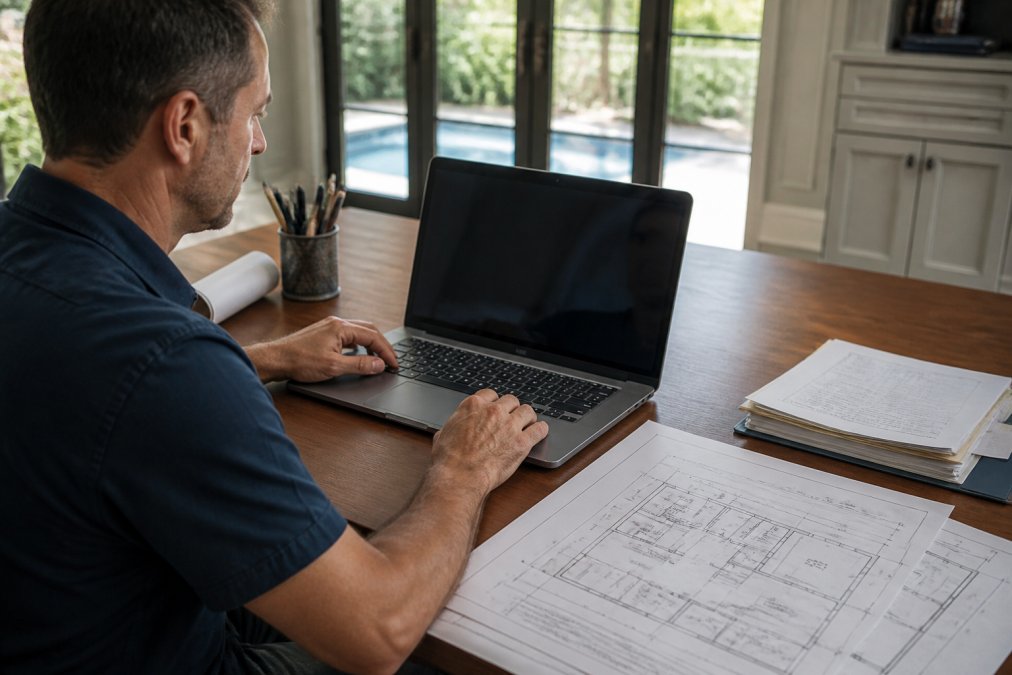
The portal dashboard displays all active and completed permits, filterable by status, work type, or date. Automatic email notifications alert you to status changes. Contractors can organize applications by project and assign team member access.
Step-by-Step Building Permit Application Process
Submitting a building permit application involves several distinct phases: gathering required documentation, completing the application form, submitting materials through the ePermits portal, undergoing plan review, and receiving approval. Understanding each step helps you prepare thoroughly and avoid common delays that extend the timeline.
Gathering Required Documentation and Building Plans
Before submitting, compile all required documentation: completed application form, detailed construction plans, proof of ownership, contractor licenses, and proof of insurance. Review the building department's requirements list for your specific project type to ensure nothing is missed.
Construction plans must be prepared by a licensed architect or engineer and show the existing structure, proposed changes, dimensions, materials, and code compliance. Plans must clearly indicate electrical, plumbing, and structural modifications and be detailed enough for the building department to evaluate compliance.
Proof of ownership requires a recent property deed or tax bill. Non-owners need written authorization from the owner. Contractor information must include their verified license number. Insurance documentation must show current liability and workers' compensation coverage.
Submitting Your Permit Application
Log into the ePermits OneStop portal and select "Submit New Application." Enter project details, property information, work type, estimated cost, contractor information, and timeline. The system displays required documents for your project type.
Upload all required documents through the portal as PDF files, images, or scanned documents. Ensure all files are clear and legible to avoid resubmission requests. Review your complete application for accuracy before final submission.
After submission, the portal generates a confirmation page with your permit application number. Save this number, as you'll use it for all future communication about this permit. The building department typically sends an email confirmation within one business day. The application then enters the plan review phase, during which the building department examines your plans and documents for code compliance.
Understanding Plan Review and Approval
During plan review, the building department evaluates whether your work meets applicable building codes and zoning regulations, checking structural adequacy, electrical safety, plumbing compliance, and zoning conformity. This typically takes 5-15 business days, longer for complex projects.
If the reviewer needs clarification, they'll issue a "Request for Additional Information" (RAI) through the portal. This isn't a rejection, you simply need to provide more details or modify plans. You'll have 10 business days to resubmit revised documents through the portal.
Once approved, the permit is issued and you receive portal notification. Download and print your official permit to display at the job site. The permit includes conditions and requirements, and may require building department inspections at specific construction stages.
How Long Does a Building Permit Take to Get Approved
Building permit approval timelines vary by project complexity, application completeness, and building department workload. Simple projects like window or door replacement may take 5-10 business days, while complex renovations with structural changes can take 20-30 days or longer.
Complete, accurate applications move faster than incomplete submissions. Complex projects requiring multiple reviewers take longer than straightforward work. Seasonal variations affect timelines, with spring and fall typically experiencing higher application volumes and longer review periods.
The ePermits OneStop portal displays estimated review timelines for your specific project type when you submit your application. This estimate provides a realistic expectation for your situation. The portal also shows your application's current status and which department is reviewing it. If your application hasn't progressed within the estimated timeframe, contact the building department to confirm there are no issues or missing information.
Experienced contractors familiar with local permit processes significantly reduce approval times. They know exactly what documentation is required and how to present plans clearly.
Hiring a Licensed Contractor for Permits and Inspections
Licensed contractors understand permit requirements, prepare compliant plans, and maintain relationships with building inspectors. They handle all permit communication and ensure work meets code requirements throughout the project.
Verify contractor licenses through the Florida Department of Business and Professional Regulation. Request proof of current liability insurance and workers' compensation coverage, which protect you from liability for injuries or property damage.
Ask potential contractors about their permit experience: How many projects have they completed locally? Do they handle all permitting? How do they communicate status updates? Efficient permit management and clear communication demonstrate professionalism.
Scheduling Building Inspections and Obtaining Certificate of Occupancy
After permit approval, the building department typically requires inspections at specific stages: foundation, framing, electrical rough-in, plumbing rough-in, and final inspection. Your permit specifies which apply. The contractor schedules inspections through the building department or ePermits portal.
Provide your permit number, inspection type, and preferred date to schedule. The building department confirms appointments within 2-3 business days. The inspector verifies work meets code requirements. If issues are found, the contractor must correct them before the next inspection.
The final inspection occurs after all work is complete. The inspector verifies that the entire project meets code requirements and that all required inspections have been passed.
Common Permit Rejection Reasons and How to Avoid Them
Common rejection reasons include incomplete applications missing required documents, unclear or illegible plans, plans not meeting current building codes, and missing contractor license information or proof of insurance.
| Stage | Purpose | Typical Duration |
|---|---|---|
| Document Gathering | Compile plans, proof of ownership, contractor info | 1-2 weeks |
| Application Submission | Submit through ePermits portal | 1 day |
| Plan Review | Building department evaluates compliance | 5-30 days |
| Inspections | Verify work meets code at each phase | Throughout construction |
| Certificate of Occupancy | Final approval and occupancy clearance | 1-3 days after final inspection |
Frequently Asked Questions
What types of home improvements require a building permit?
Most structural changes, electrical work, plumbing, HVAC installation, and room additions require building permits. Kitchen and bathroom renovations that involve structural changes, electrical, or plumbing also need permits. Minor cosmetic work like painting or replacing fixtures typically does not. When in doubt, contact your local building department or hire a licensed contractor who understands permit requirements for your specific project.
How long does a building permit take to get approved in Broward County?
Standard permit review typically takes 5-10 business days for straightforward residential projects, though complex renovations may take 2-4 weeks. The timeline depends on plan quality, completeness of documentation, and current department workload. Hiring a licensed contractor familiar with local requirements can help ensure all submissions meet code standards on the first attempt, potentially avoiding costly rejections and resubmissions.
Can I pull my own building permit, or do I need a licensed contractor?
Owner-builders can pull their own permits in Florida, but the process requires understanding building codes, zoning compliance, and submission requirements. Most homeowners benefit from hiring a licensed contractor who handles the entire permit process, manages plan reviews, schedules inspections, and ensures work meets code, eliminating the administrative burden and reducing rejection risk significantly.
What is the ePermits OneStop system and how do I use it?
The Broward County ePermits OneStop is the official online portal for submitting building permit applications, tracking permit status, and accessing public records. You can search for existing permits by address, upload required documentation, pay permit fees, and schedule inspections through the portal. First-time users should create an account and review the submission requirements checklist before uploading plans to ensure faster approval.